Vision AI (GPT-4o)
Analyses actual screenshots of the SEEK page to decide the next action — click, fill, select, or scroll. Handles dynamic React widgets that break traditional selectors.
AI-powered automation for seek.com.au. Vision AI analyses screenshots to find buttons, fills forms intelligently, and answers questions using your saved profile. Shortlist review, learned memory, and a live dashboard included.
Every feature designed to reduce friction, increase accuracy, and give you control.
Analyses actual screenshots of the SEEK page to decide the next action — click, fill, select, or scroll. Handles dynamic React widgets that break traditional selectors.
Stores your CV, rights to work, notice period, salary expectations, skills, and cover letter. AI uses this context to answer any question professionally.
Every answer you give (or AI generates) is saved. Next time a similar question appears, it uses your exact wording — even if SEEK rephrases it.
Preview all matched jobs, untick irrelevant ones, then start a batch run. You stay in control of every application.
Clicks through multi-step forms, detects validation errors, prompts you to fix them, then resumes automatically.
Real-time stats: applied, skipped, failed. Current job, run timer, activity logs — all without leaving SEEK.
Click Stop in the side panel — the automation halts immediately, saves progress, and cleans up overlays.
Your profile, answers, and logs never leave your browser. Only the current question + screenshot go to OpenAI.
No complex setup. No coding. Just install, configure, and run.
Add the extension from Chrome Web Store. Open Settings, paste your OpenAI API key, and fill in your profile (CV summary, work rights, notice period, salary, skills).
Use keyword/location search on SEEK, or paste specific job URLs. Click "Start Run" in the side panel to preview matched jobs.
Untick any irrelevant jobs in the shortlist. Click "Start Selected Jobs" — the extension opens each job, clicks Quick Apply, and fills the form.
AI answers known questions automatically. If unsure, it pauses and shows an in-page prompt — you answer on SEEK, click Resume, and it continues. Dashboard tracks everything.
Designed for long sessions. Every panel is readable, accessible, and distraction-free.
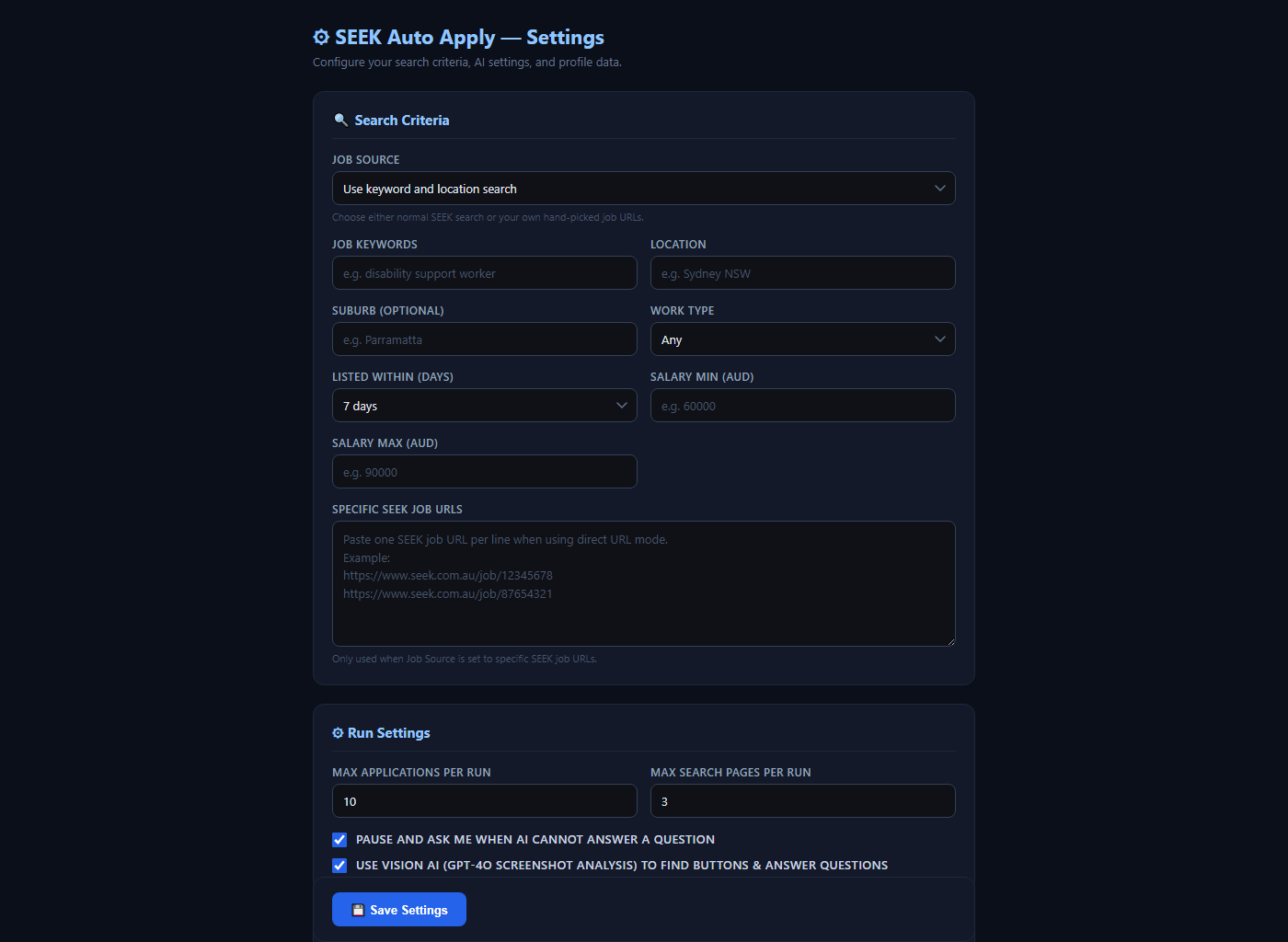
Search criteria, AI model selection, OpenAI key, and full CV profile in one place.
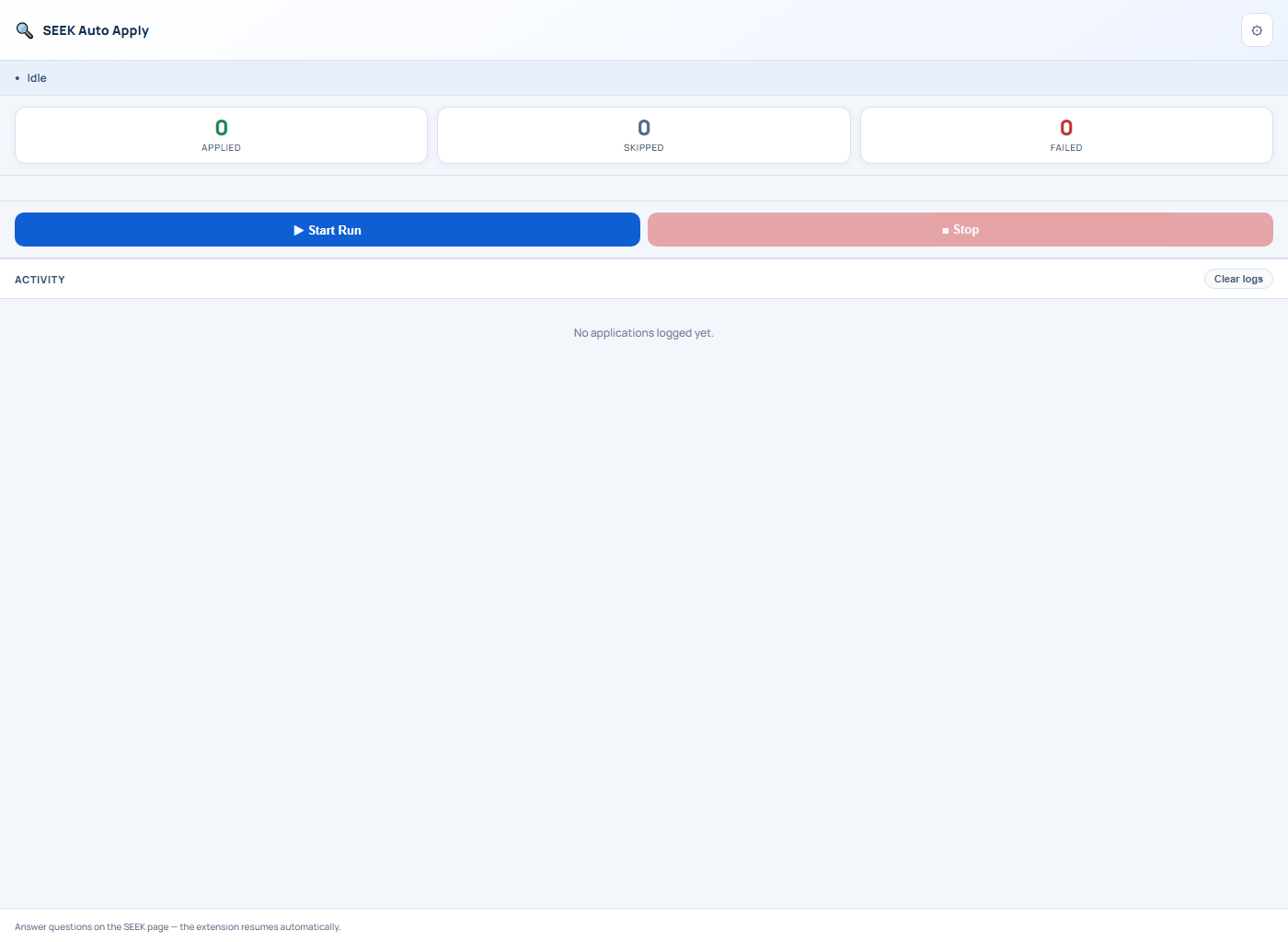
Real-time applied/skipped/failed counts, current job, run timer, and expandable logs.
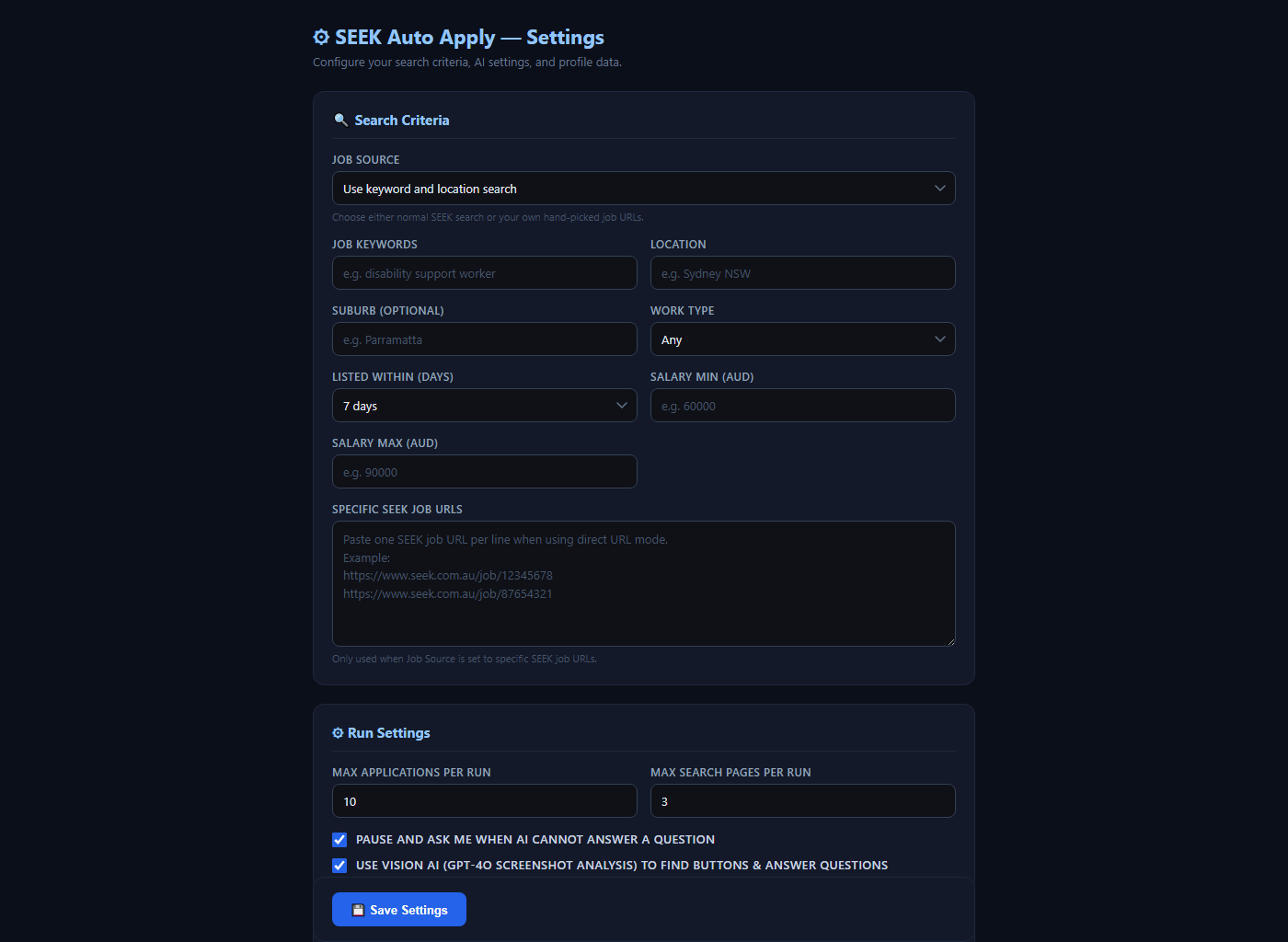
Keywords, location, work type, salary range, date posted — builds SEEK URLs automatically.
No subscription. No external account. Just the essentials.
Manifest V3 extension. Works on Windows, macOS, Linux.
Logged in to seek.com.au in the same browser profile.
GPT-4o for vision, gpt-4o-mini for text. Pay-as-you-go via OpenAI.
Everything you need to know before installing.
Join hundreds of job seekers automating their SEEK applications. Free to install. Pay only for OpenAI usage.
Add to Chrome — It's Free